Features
Everything a manager needs between meetings. Nothing they don't.
A notebook for your people, not a task manager or an HR system. Here is what it does.
Capture
Capture what you saw.
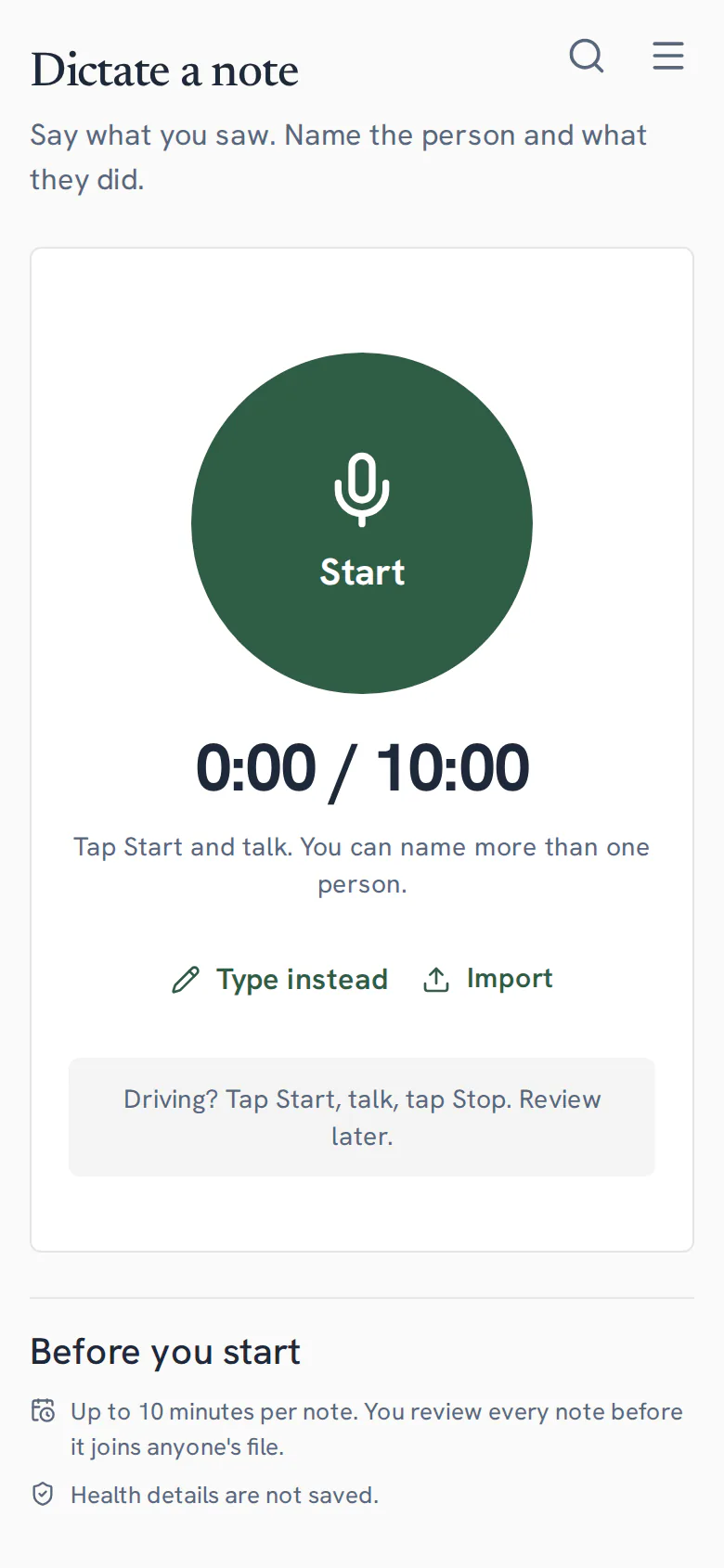
Tap Dictate after a meeting and say what you saw. TheirCorner turns it into notes for each person, marked as wins, concerns or neutral, and you approve them.
- A note can run up to 5 minutes.
- A brain dump can run up to 10 minutes.
Review
You approve every note.
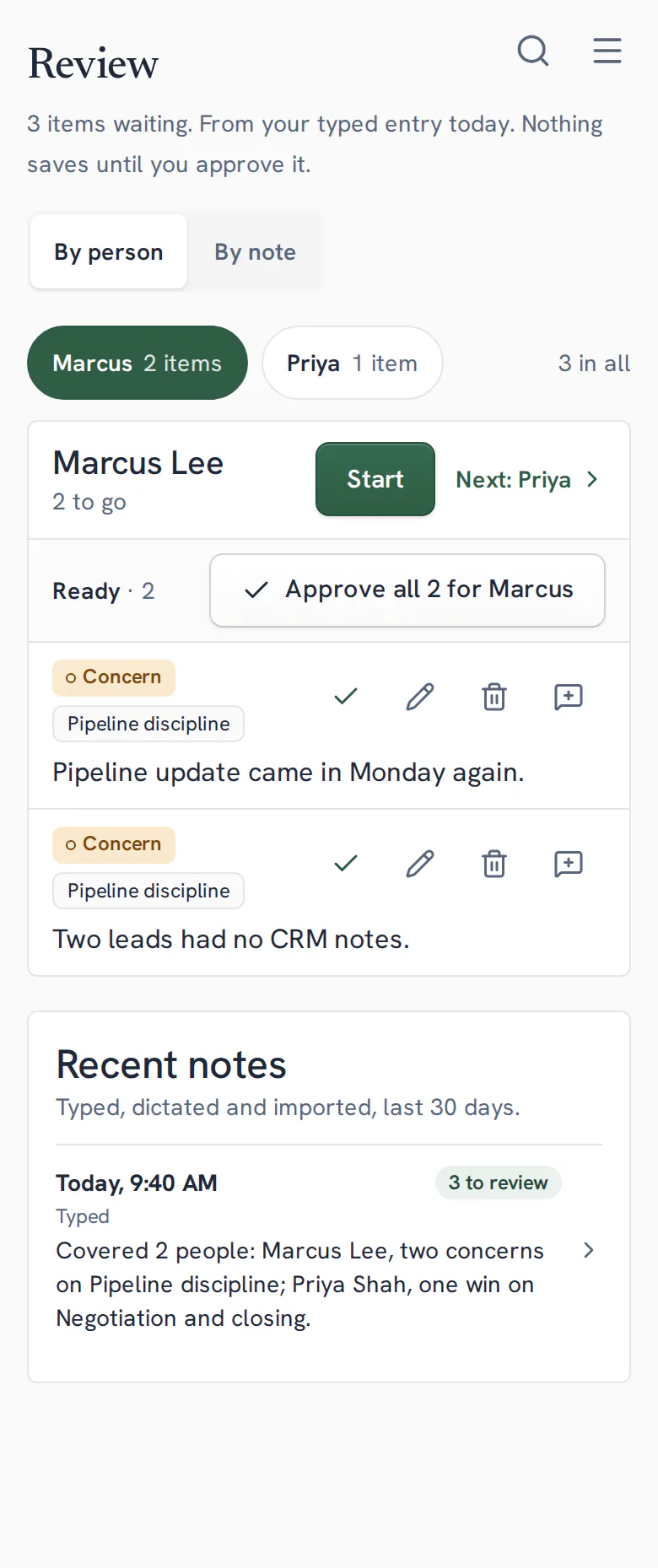
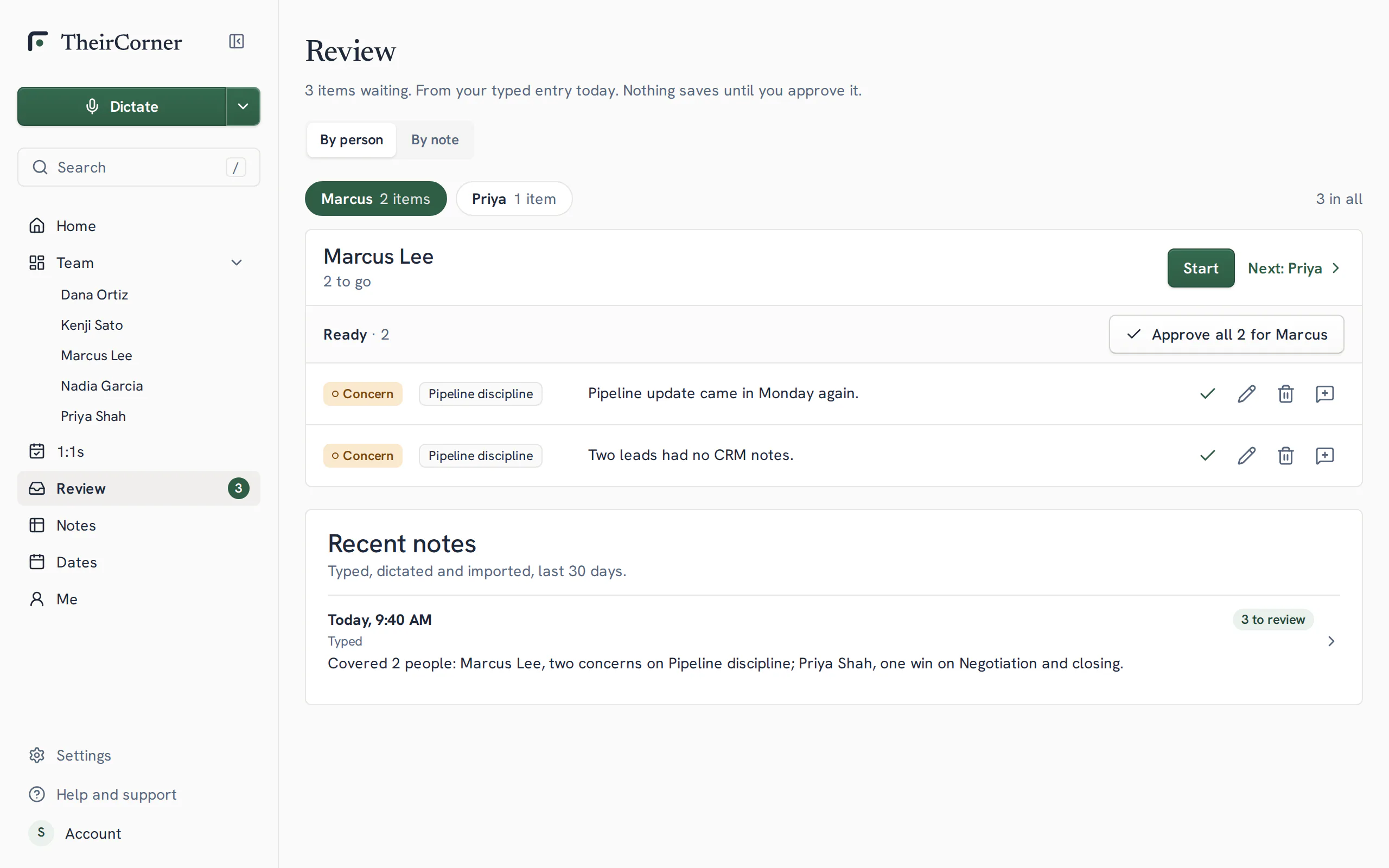
Nothing joins a person’s record until you approve it. Approve, edit, move to another person or delete.
- Press Start on a person and a side panel walks their items one at a time, with Approve and next.
- Answer a question and the item is approved, with Undo.
- Move to About puts a background fact into the person’s About.
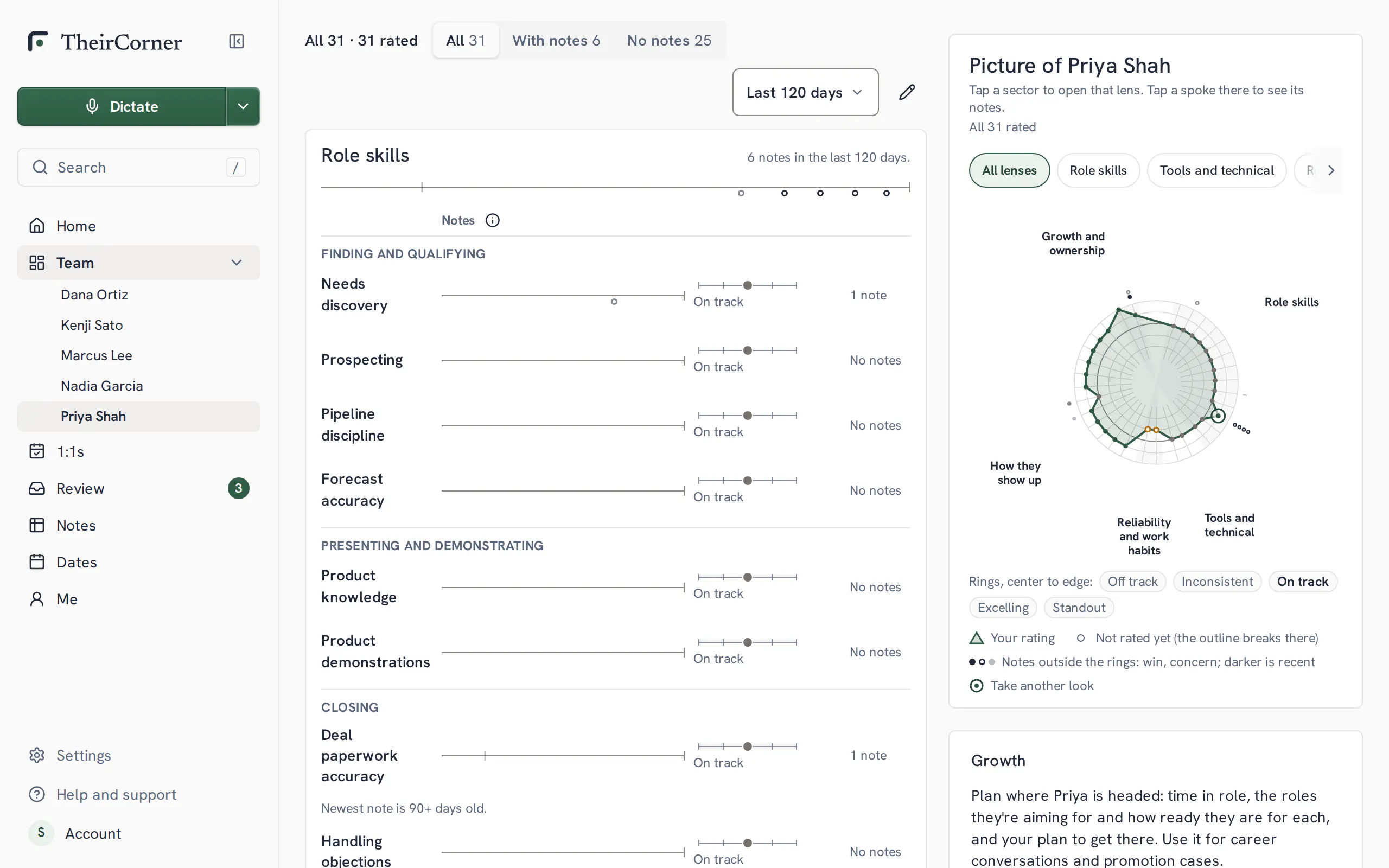
The picture
A picture of each person.
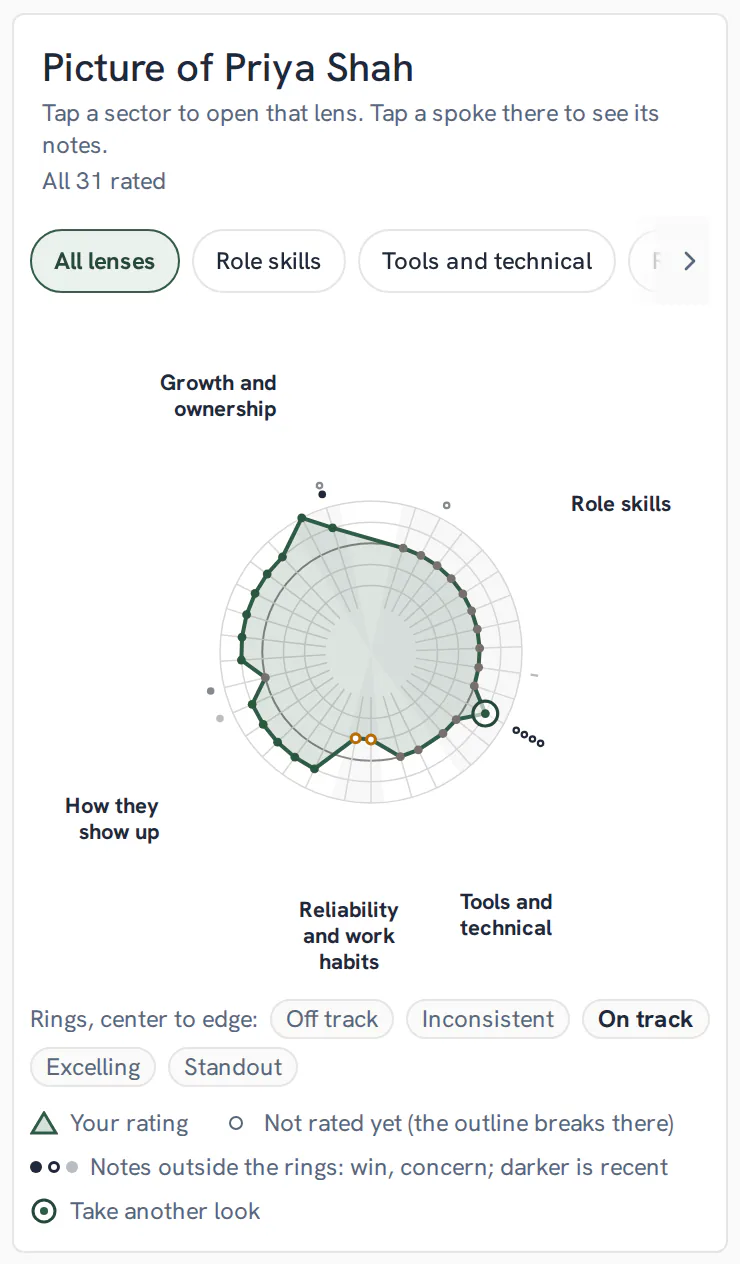
One spoke for each skill you track, your rating as the shape and your notes around the edge. You can see what you have seen, and what you have not looked at yet.
- Five described levels, Off track to Standout.
- When your notes lean away from a rating, the app asks you to take another look.
- You decide every level.
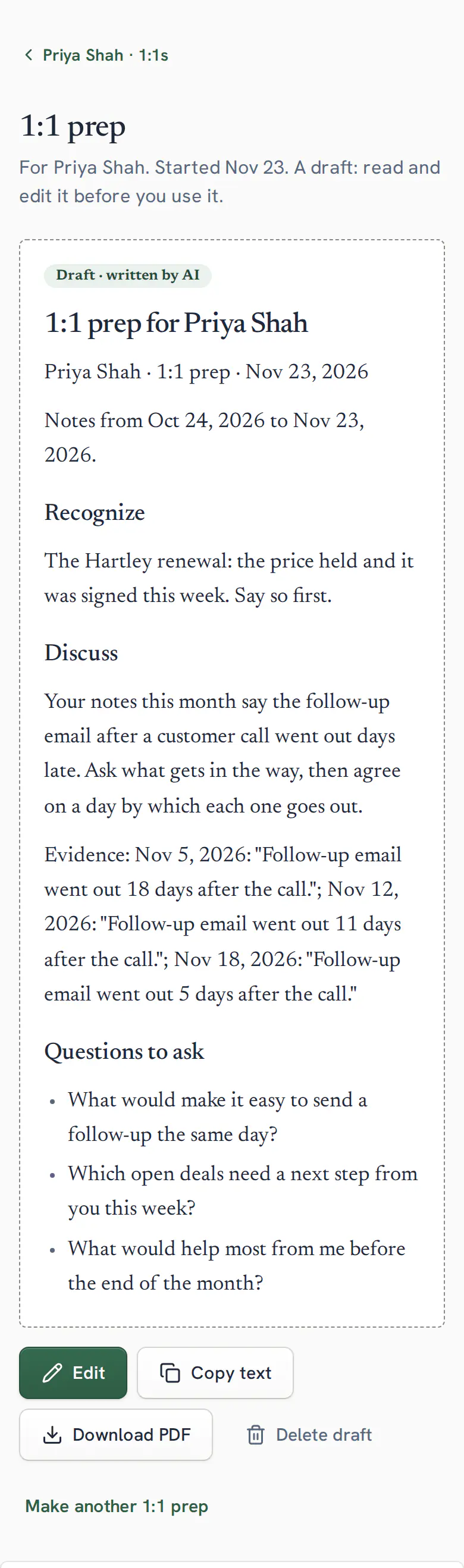
1:1 prep
Walk into every 1:1 prepared.
Say what you want to cover and pick a structure, such as a weekly check-in or coaching with GROW. The prep is built from your own notes, and you log the 1:1 by voice afterwards.
- It is built from your approved notes about that person.
- AI text is marked until you edit it.
- Edit it, copy the text or download a PDF.
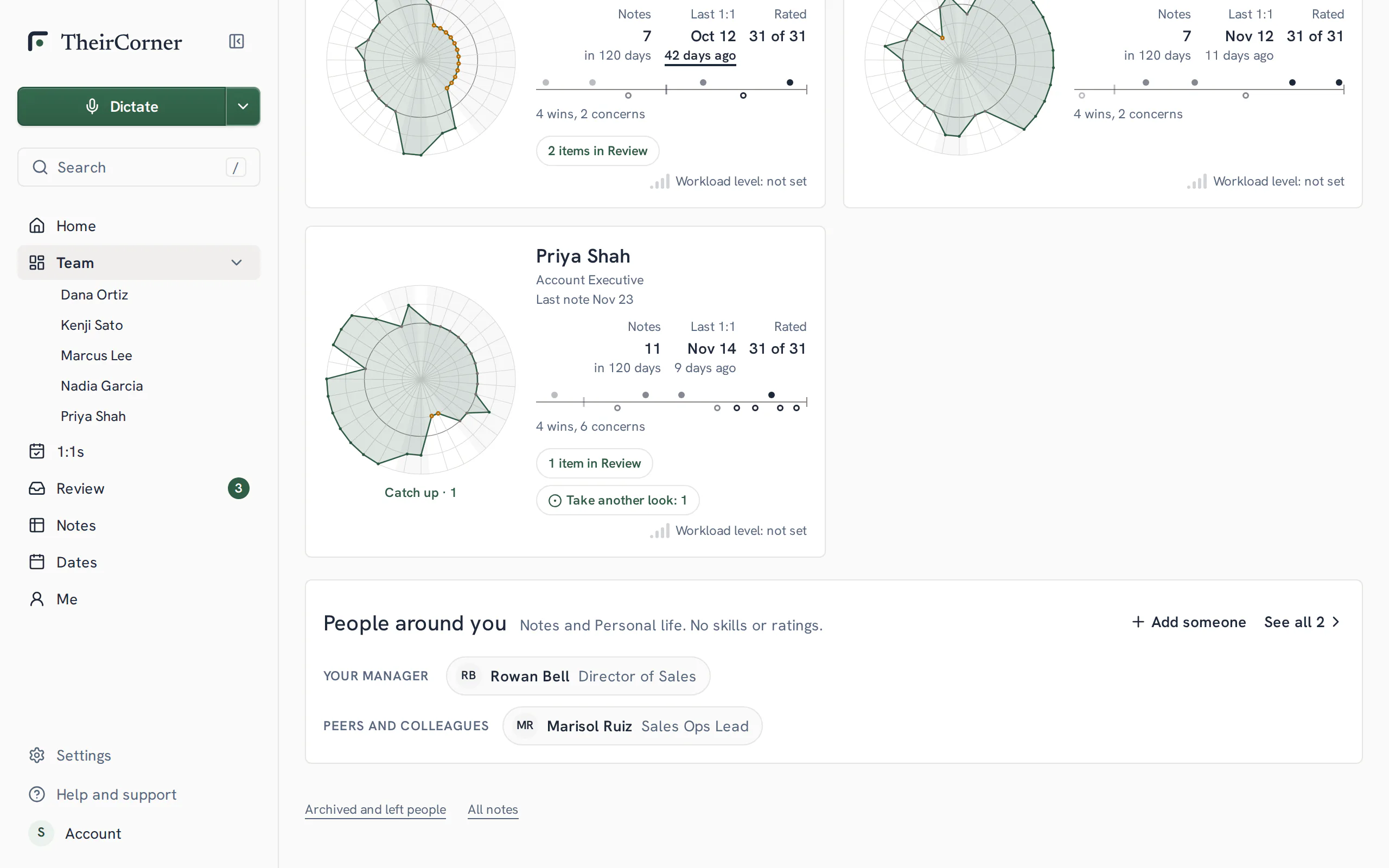
People around you
Notes on the people around you.
Add your manager, peers and leaders too. They get notes, follow-ups and Personal life, never skills or ratings.
- Prep for a 1:1 with your manager or a leader.
- Personal life: Only you see this · Never used in anything AI writes for you
And more
Small things that save time every week.
Personal life, kept apart
Birthdays and follow-ups, kept with each person in their own Personal life section. Only you see this · Never used in anything AI writes for you.
Dates
Birthdays, anniversaries, time away and follow-ups from Personal life, by month.
Me
Your own file, just for you: your wins, praise you got, feedback and goals.
Notes
Your notes in one table, filtered by person, type and skill.
Export
Download everything any time from Settings, as one file.
Light and dark
Choose Light, Dark or Match your device.
Start with a feature
Privacy
Your notes are yours.
Built to keep health details out.
If you mention a health detail, it’s removed before your note is saved, and you’re told. The checks are automated and can miss things.
Never used in anything AI writes for you.
Notes about someone’s personal life stay out of AI-written prep and coaching.
Nothing is sent to HR, your boss or your company.
TheirCorner never sends your notes to another person. You copy out what you choose.
Export or delete everything.
Download everything any time from Settings, or delete your account and your notes leave the app right away. Daily backups expire after 7 days, so your notes are gone from them within about 8 days.
Notice the work this week. Back your people at the next 1:1.
At launch, every new account starts a 14-day Pro trial. No card needed.
At launch: Free for 2 people on your team and 5 around you. Pro $15 a month.