How it works
A few minutes a day adds up to a fair picture.
Four steps. The first one is all you do after a meeting.
Step 1
Dictate
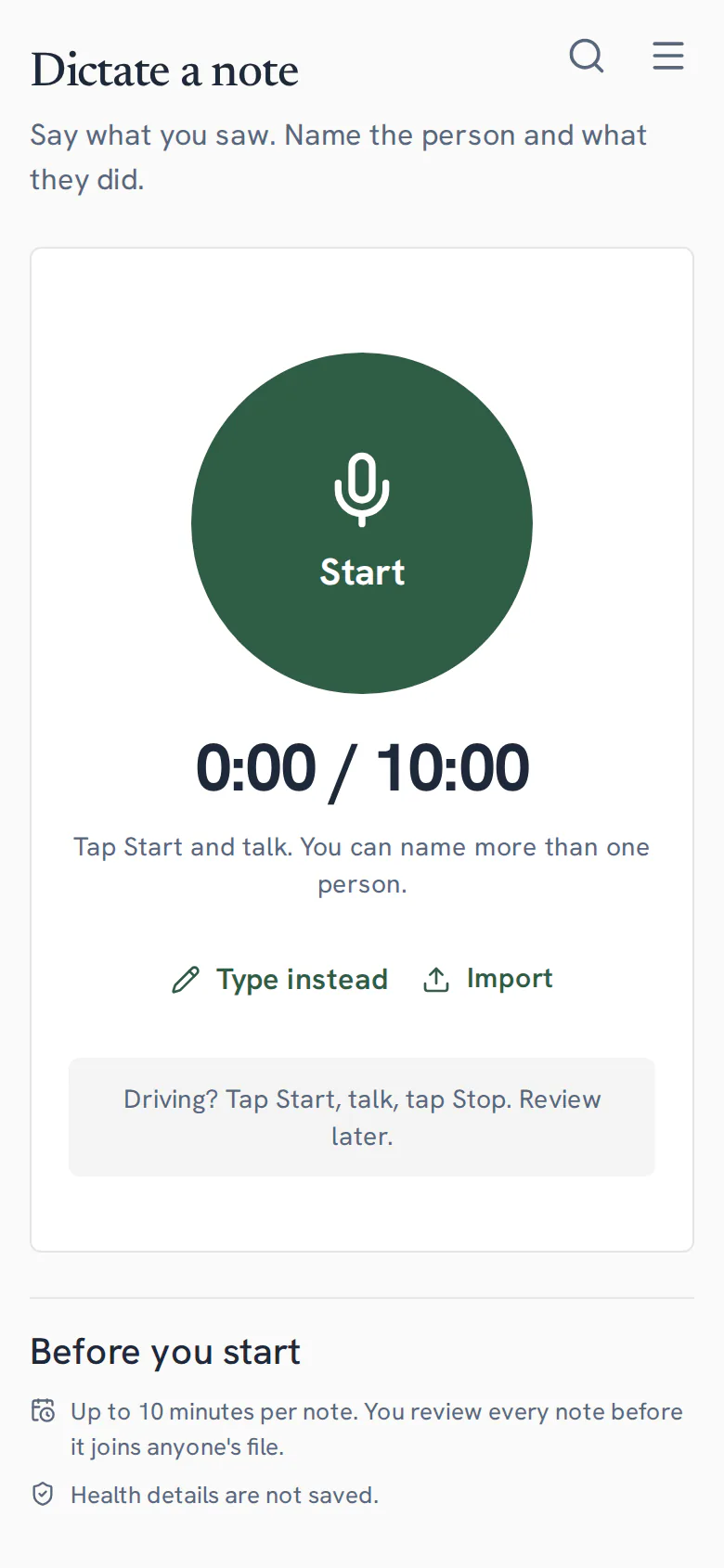
Tap Dictate after a meeting or a call. Your words become notes for each person, as wins, concerns or neutral notes, for you to approve.
- A note can run up to 5 minutes.
- Name each person as you go and everyone gets their own items.
Step 2
Review
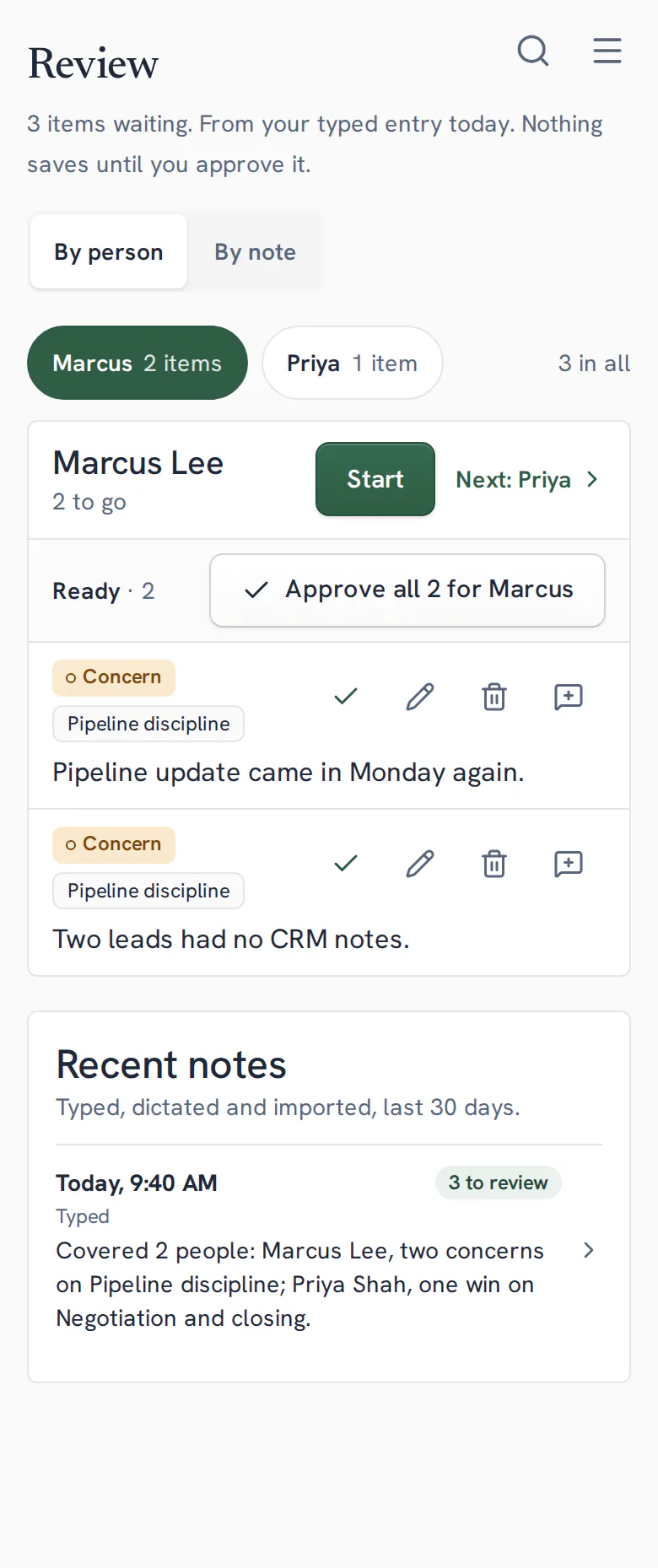
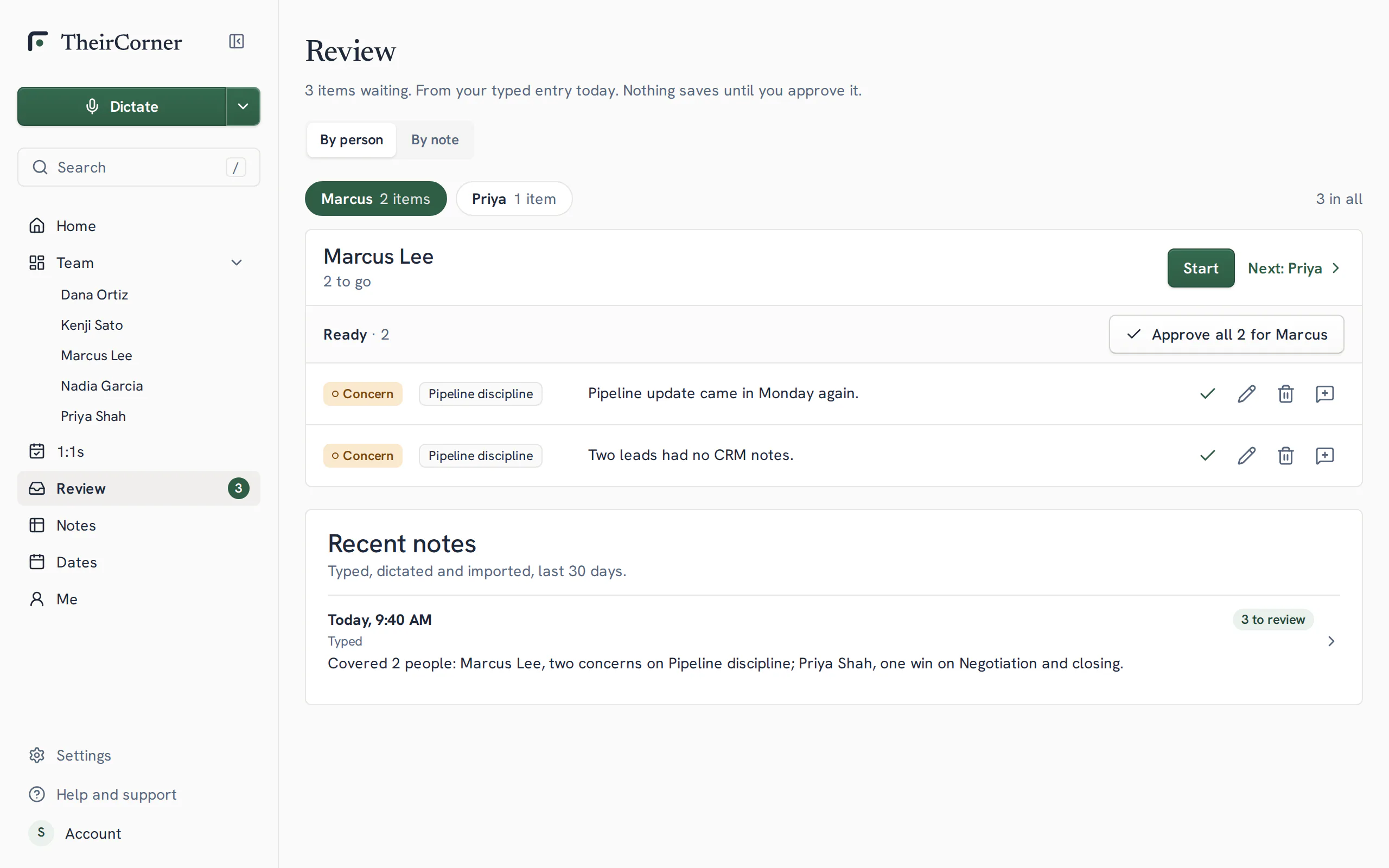
Nothing joins a person’s record until you approve it.
- Approved notes land on the skills that matter for each person’s role, and the picture fills in.
- If you mention a health detail, it’s removed before your note is saved, and you’re told. The checks are automated and can miss things.
- Notes about someone’s personal life stay out of AI-written prep and coaching.
Step 3
The picture
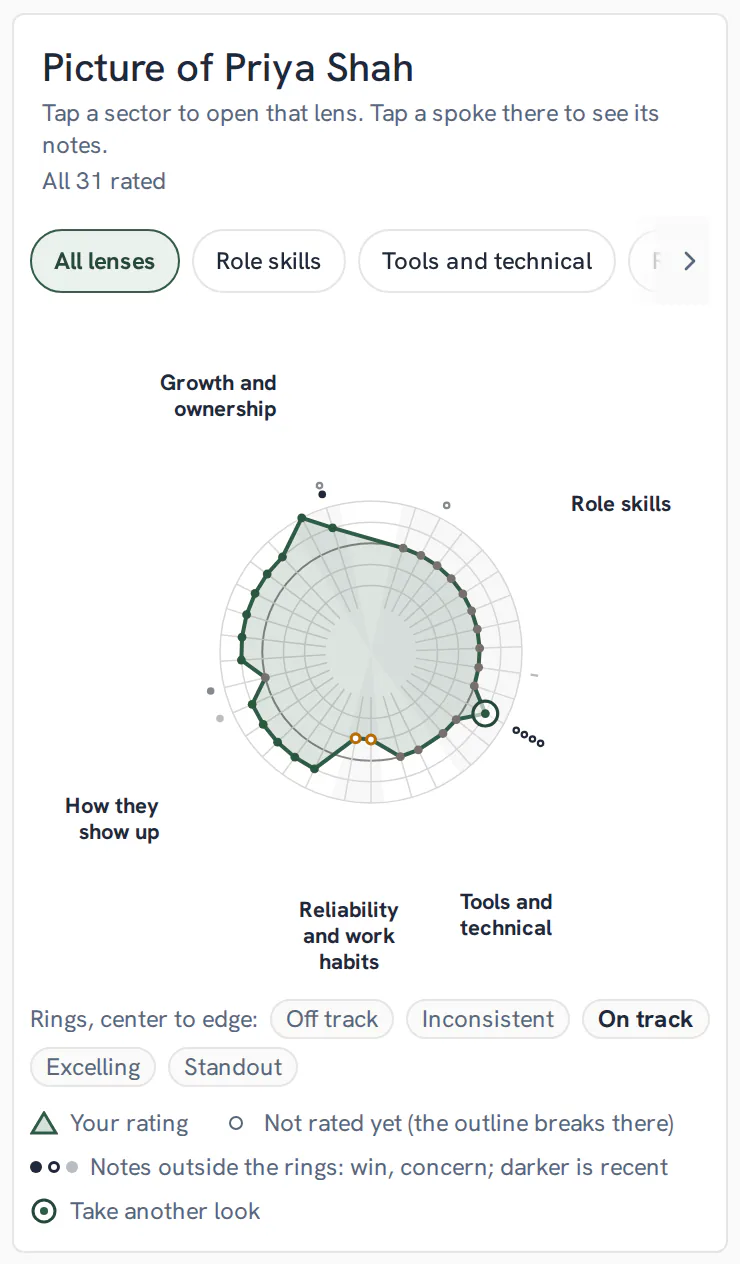
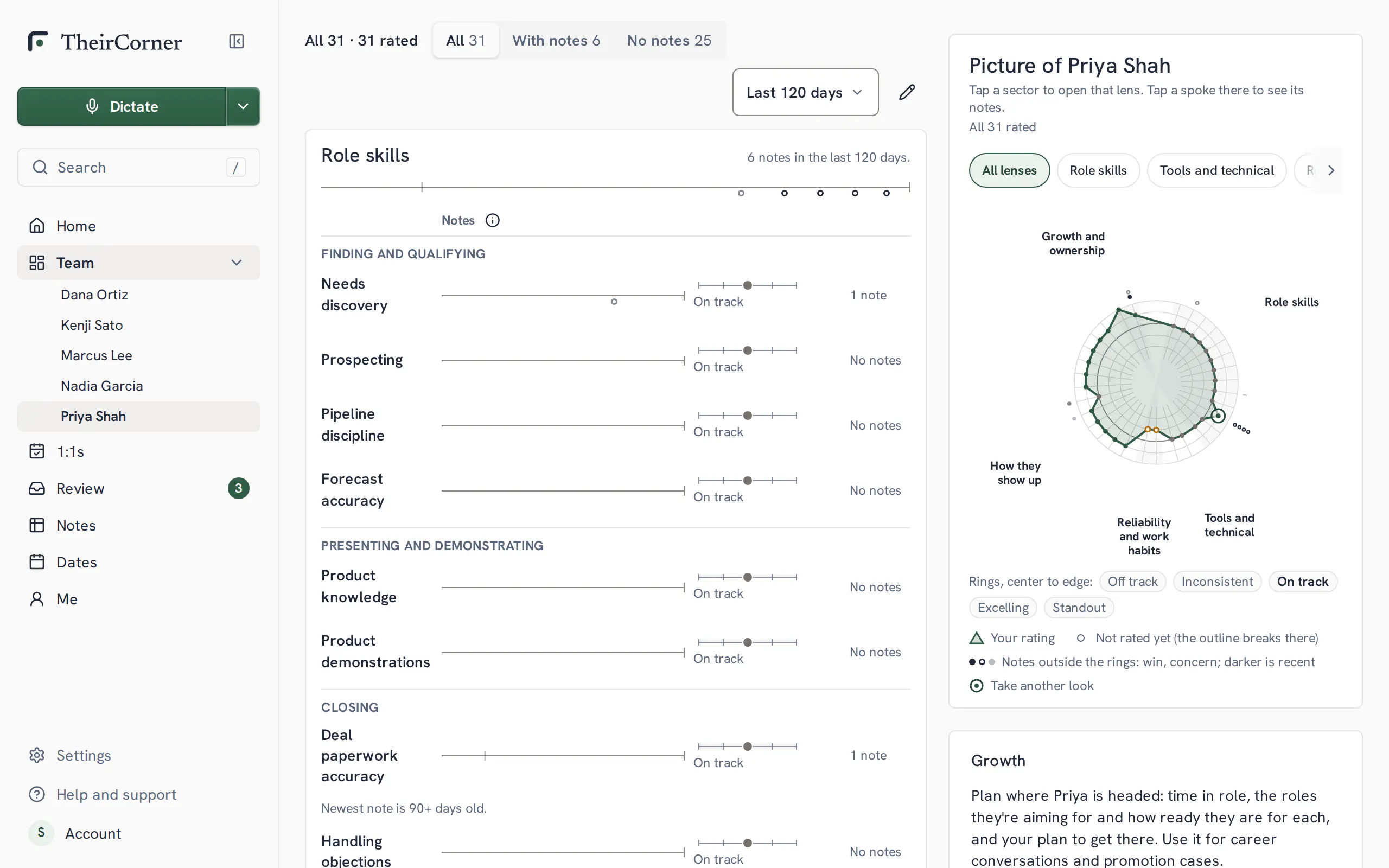
Rate each skill in plain words when you are ready. Your notes sit around the edge, so you can see what backs each rating.
- When new notes arrive after a rating, you are asked to take another look.
- TheirCorner never tells you what to rate.
- Few-notes flags are about your notes, never about the person.
Step 4
1:1 ready
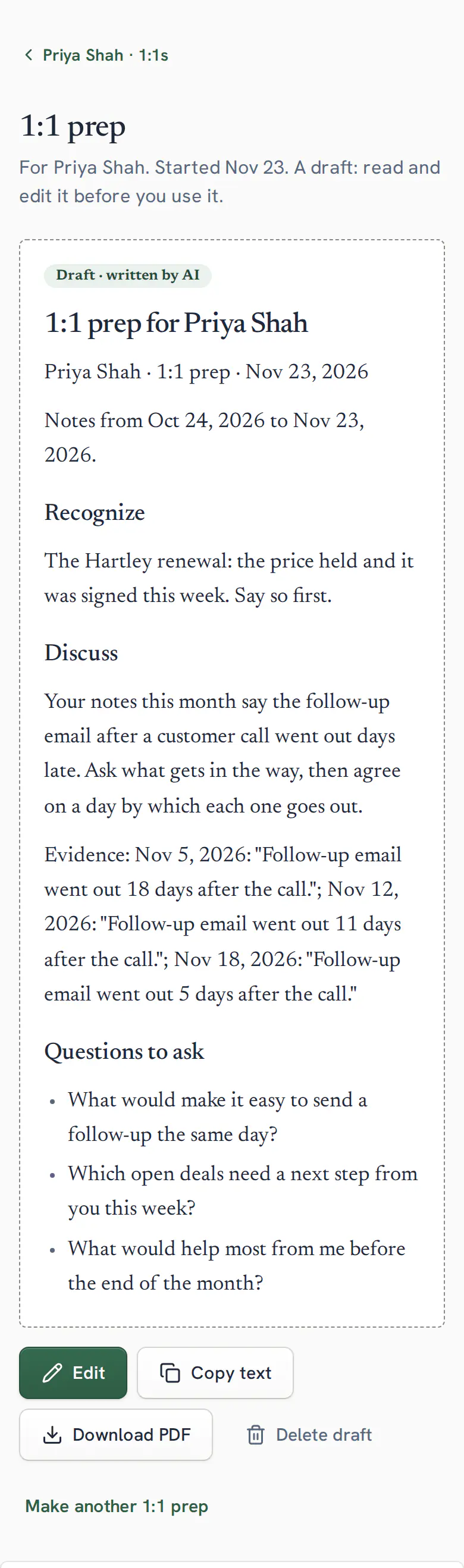
Say what you want to cover and pick a structure. The prep is built from your own notes. Log the 1:1 by voice afterwards.
- It is built from your approved notes about that person.
- AI text is marked until you edit it.
- Pull dated evidence together all year, for mid-year check-ins and review season.
Reading the picture
One spoke for each skill
You choose what to track for each person. Skills are grouped by lens around the edge.
The shape is your rating
Each point is your level. Five described levels, Off track to Standout. On track is a good result.
A gap means not rated yet
The shape breaks at a skill you have not rated: no outline and no fill there, so nothing looks finished before it is.
Notes sit outside the rings
A dot for each win and a ring for each concern, darker when recent. They show what your notes say without setting a level.
Take another look
When recent notes lean away from your rating, the point is circled. You decide what to do.
Privacy
Your notes are yours.
Built to keep health details out.
If you mention a health detail, it’s removed before your note is saved, and you’re told. The checks are automated and can miss things.
Never used in anything AI writes for you.
Notes about someone’s personal life stay out of AI-written prep and coaching.
Nothing is sent to HR, your boss or your company.
TheirCorner never sends your notes to another person. You copy out what you choose.
Export or delete everything.
Download everything any time from Settings, or delete your account and your notes leave the app right away. Daily backups expire after 7 days, so your notes are gone from them within about 8 days.