Skip to content

Coming soon.We'll email you when TheirCorner opens.Join the waitlist

Features

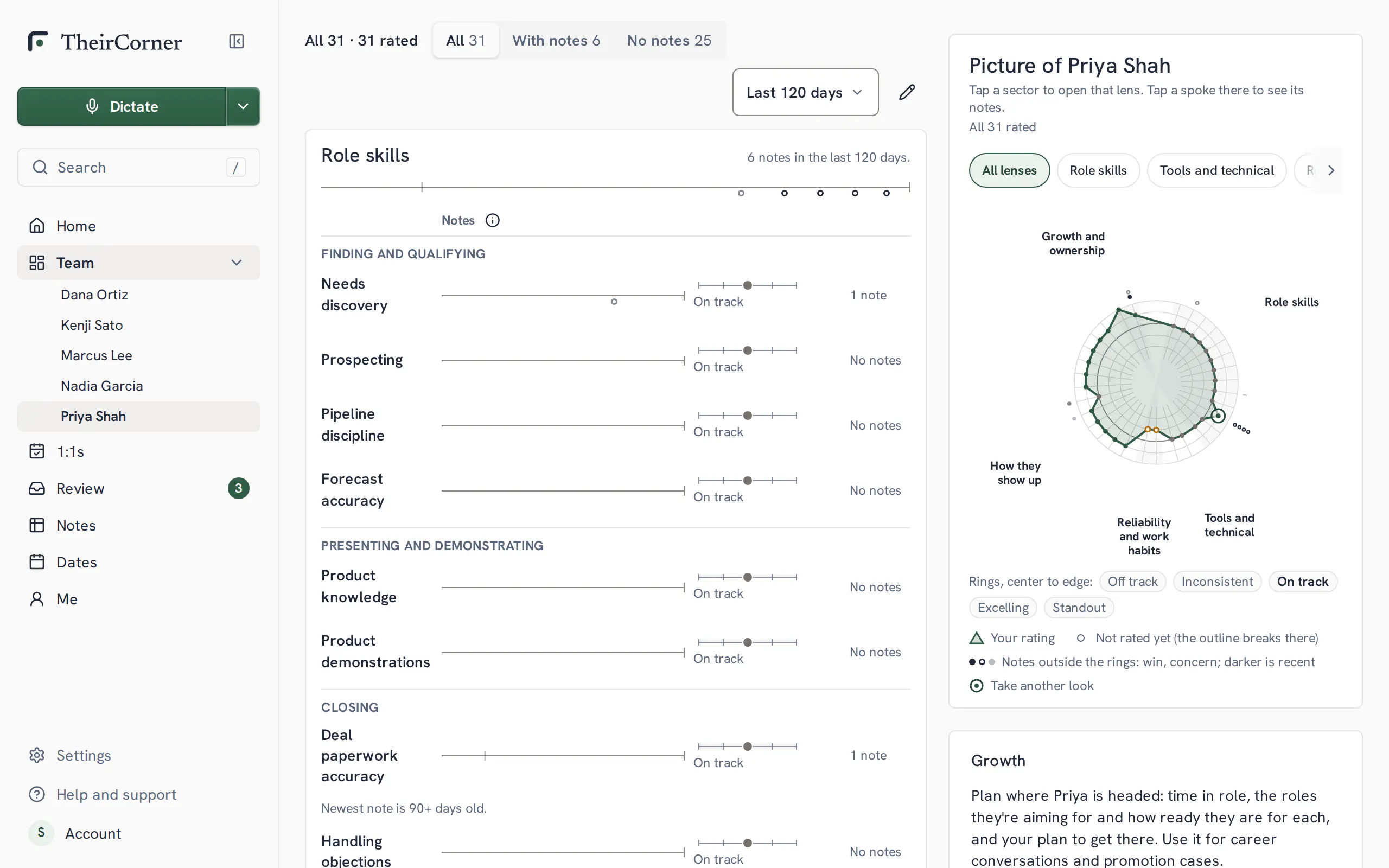
A picture of each person.

One spoke for each skill you track, grouped by area. Your ratings make the shape. Your notes sit around the edge.

Join the waitlist
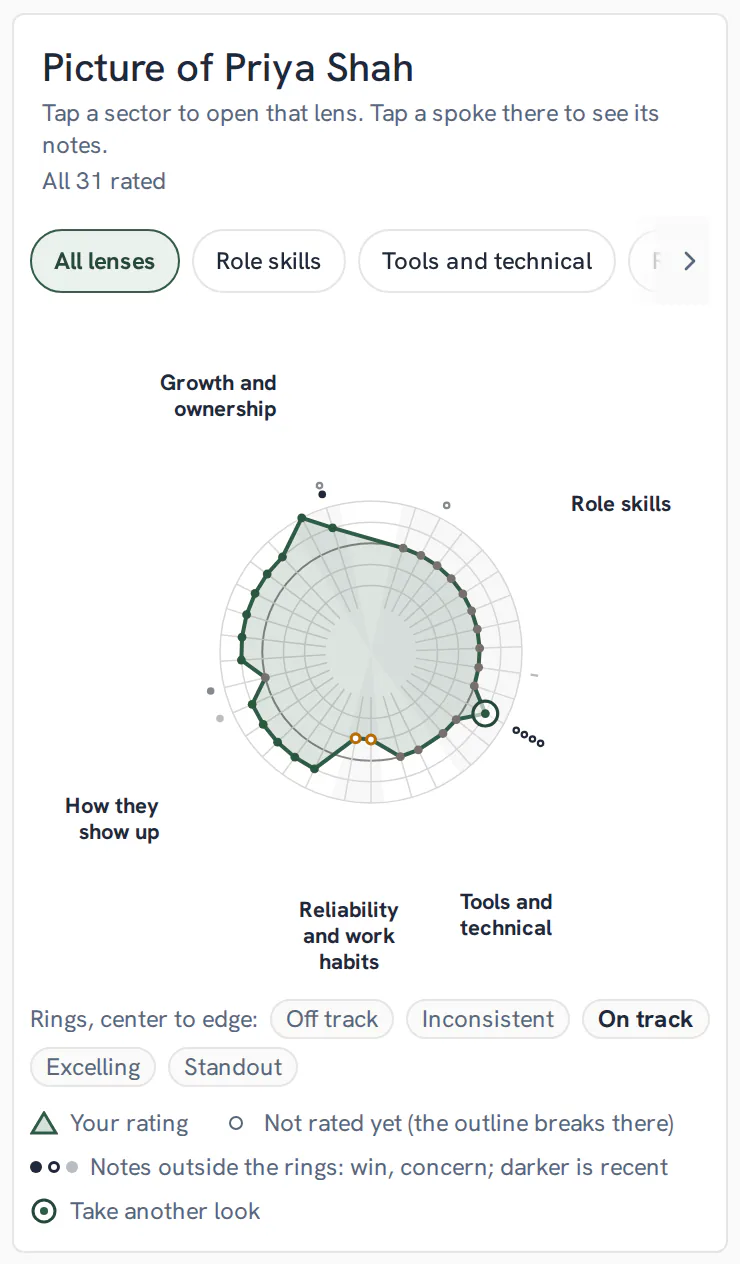
A person's Skills tab in TheirCorner on a phone: each skill in a row with a strip of its notes, its level in one line and a notes count, an Edit skills button, and the picture of the person with one spoke for each rated skill.
A person's Skills tab in TheirCorner on a laptop: each skill in a row with a strip of its notes, its level in one line and a notes count, an Edit skills button, and the picture of the person with one spoke for each rated skill.
  • Levels as words

    Five described levels, Off track to Standout.

  • Notes around the edge

    Wins and concerns sit outside the rings, so your notes never move a rating.

  • Gaps stay gaps

    A skill you haven’t rated yet has no outline and no fill.