Notice the work. Back your people.
Be a better manager to every person on your team.
Say what you saw after a meeting. TheirCorner keeps dated notes for each person, so your 1:1s, feedback and reviews come from what they actually did, not last week’s memory.
Free for 2 people on your team. Pro, for your whole team, is $15 a month.

Quick wrap-up. Priya held the Hartley renewal price. Marcus cleared the stale deals. Priya’s Hartley quote went out two days late.
One note, sorted by person.
Name people as you talk. Each gets their own notes.
You approve every note.
Nothing joins a person’s record until you approve it.
Nothing is sent.
Not to HR, your boss or your company.
Why it helps
What changes for you
Better 1:1s
Walk in with specifics and leave with agreed next steps.
1:1 prep is written from your approved notes. You keep the lines you agreed and a log of each 1:1.
Feedback that lands
Specific, dated, and about what they did, not who they are.
Wins and concerns are kept as dated notes about behavior, so you can say exactly what you saw.
Fair ratings and reviews
Rate from what you saw over time, not just last month.
Your dated notes sit beside each skill. You set every level, and TheirCorner never suggests one.
People who grow
Know where each person is headed and what is on their plate.
A Growth plan with how ready they are for each role, and a workload level you set beside it.
Hard conversations, handled well
Bring dates and facts, not a feeling.
Concerns are dated notes. When one is serious, you see a Contact HR now prompt. Nothing is sent for you.
How it works
Four steps from a meeting to a ready 1:1.
- Dictate
After a meeting or a call, tap Dictate and say what you saw. Name people as you go.
- Approve
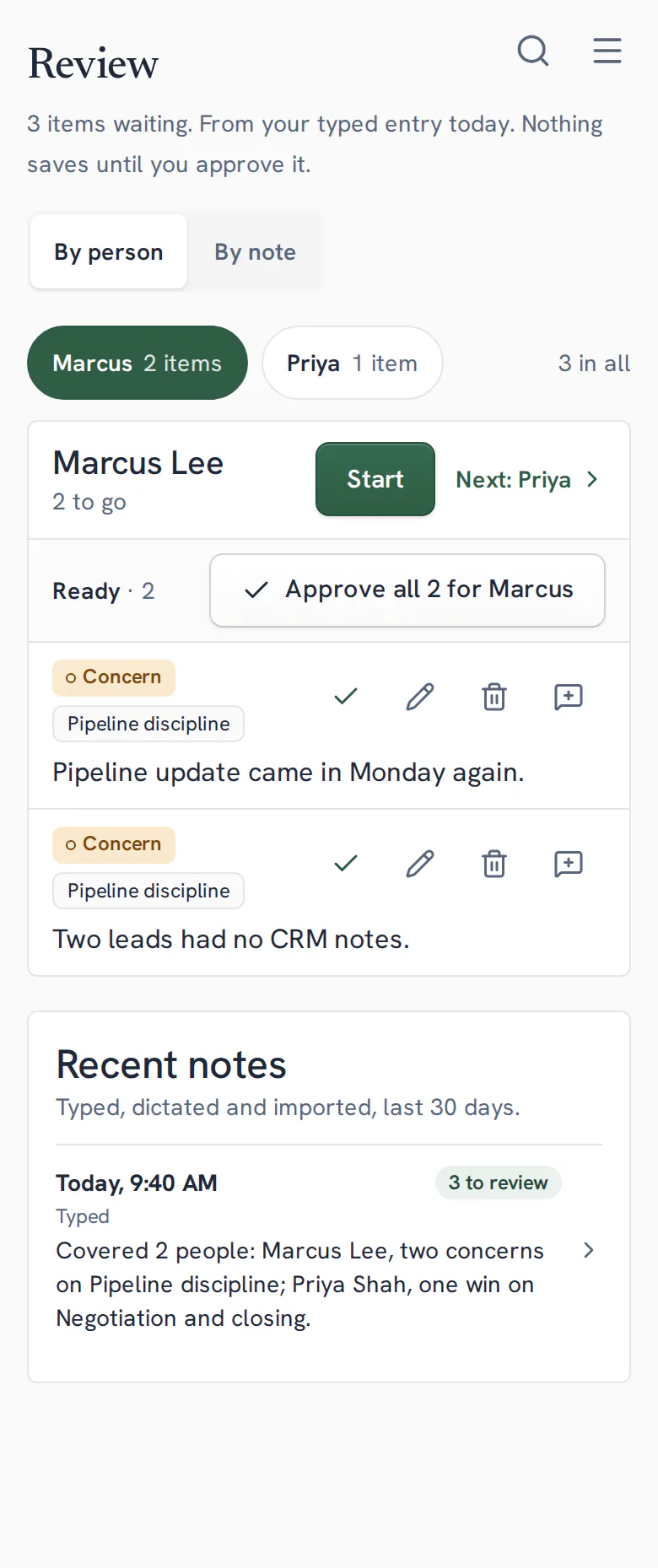
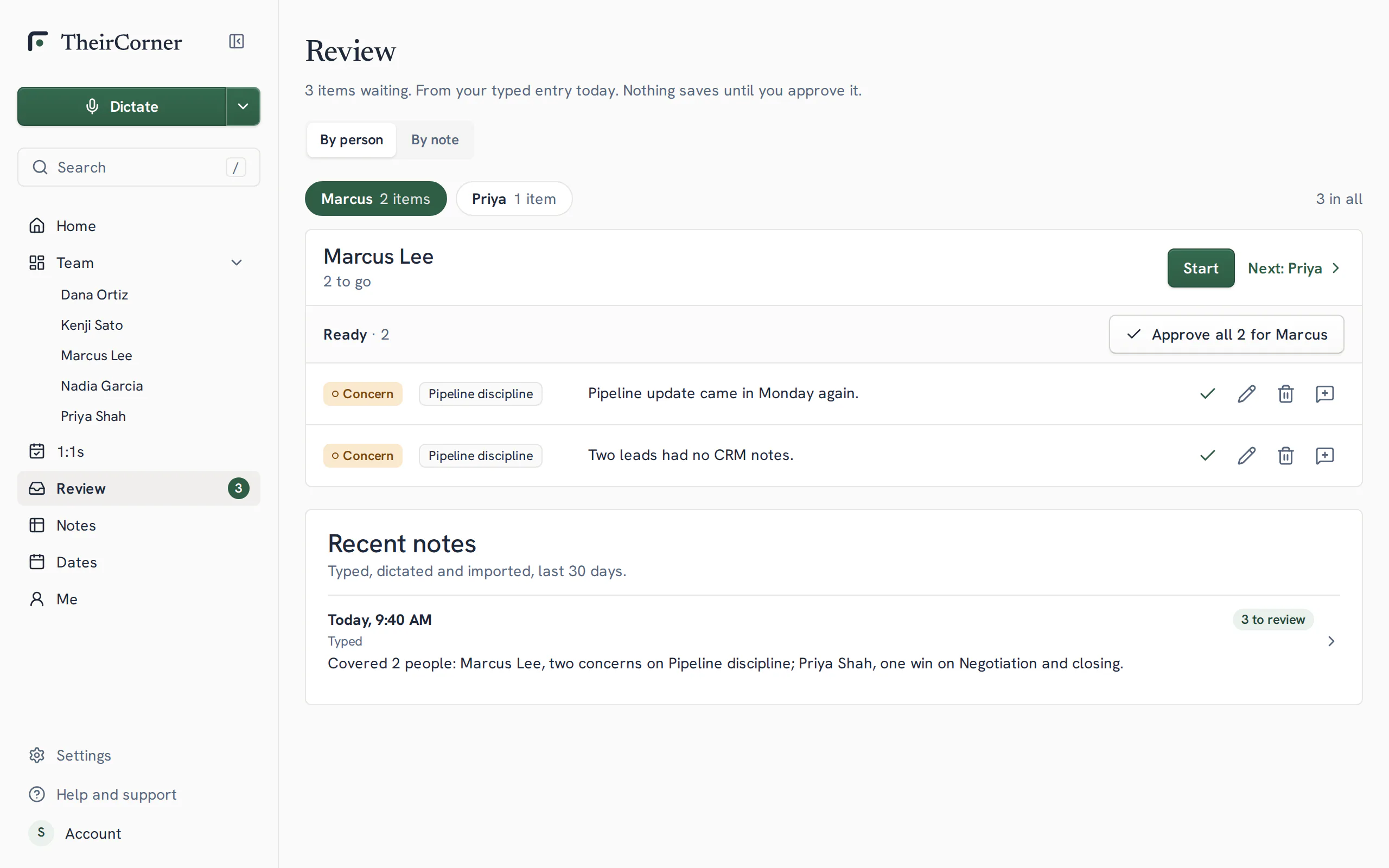
Your words come back as short notes for each person: wins, concerns and neutral notes. You approve each one.
- Rate
When you’re ready, rate each skill in plain words, with your notes beside it. TheirCorner never tells you what to rate.
- Prep
Before a 1:1, say what you want to cover. The prep is written from your approved notes.
Capture
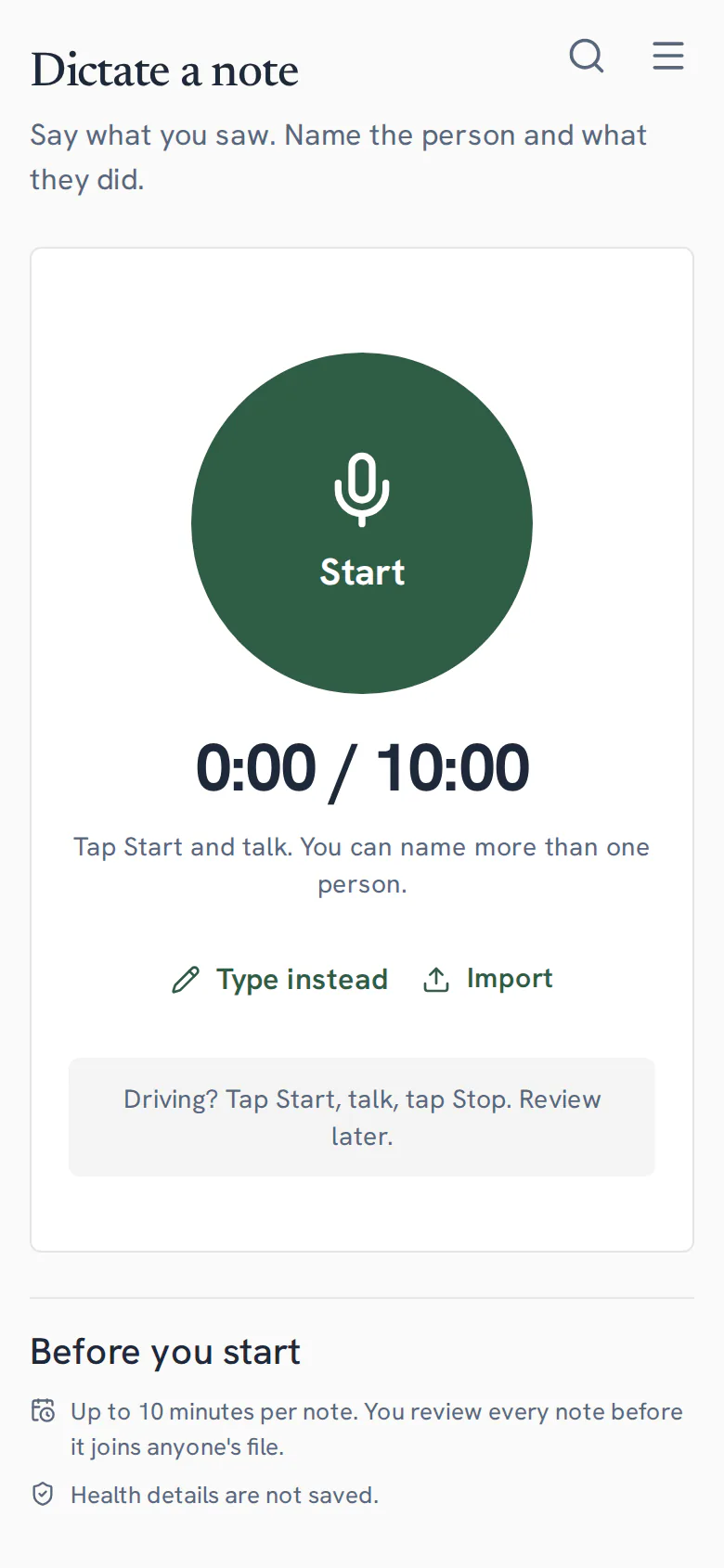
Dictate once. Every note lands on the right person.
Tap Dictate after a meeting and say what you saw. TheirCorner turns it into notes for each person, marked as wins, concerns or neutral, and you approve them.
- Name each person as you go and everyone gets their own notes.

1:1 prep
Walk into every 1:1 ready.
Tell it what you want to cover. TheirCorner writes a short agenda from your approved notes about that person, with dates. Edit it, copy it or download a PDF.
- AI text is marked until you edit it.
- It never sets or suggests a rating.
- The same dated notes are your evidence at review time.
The picture
See what your notes say before you rate.
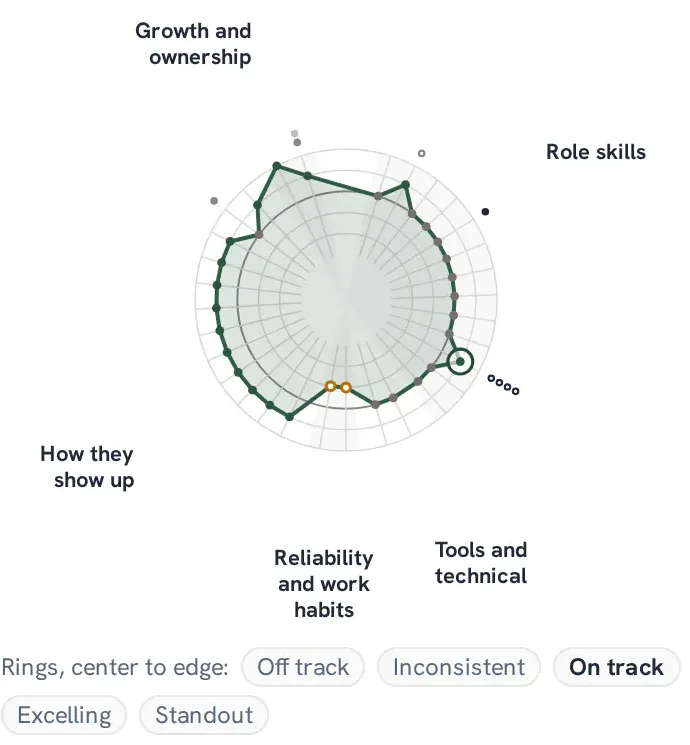
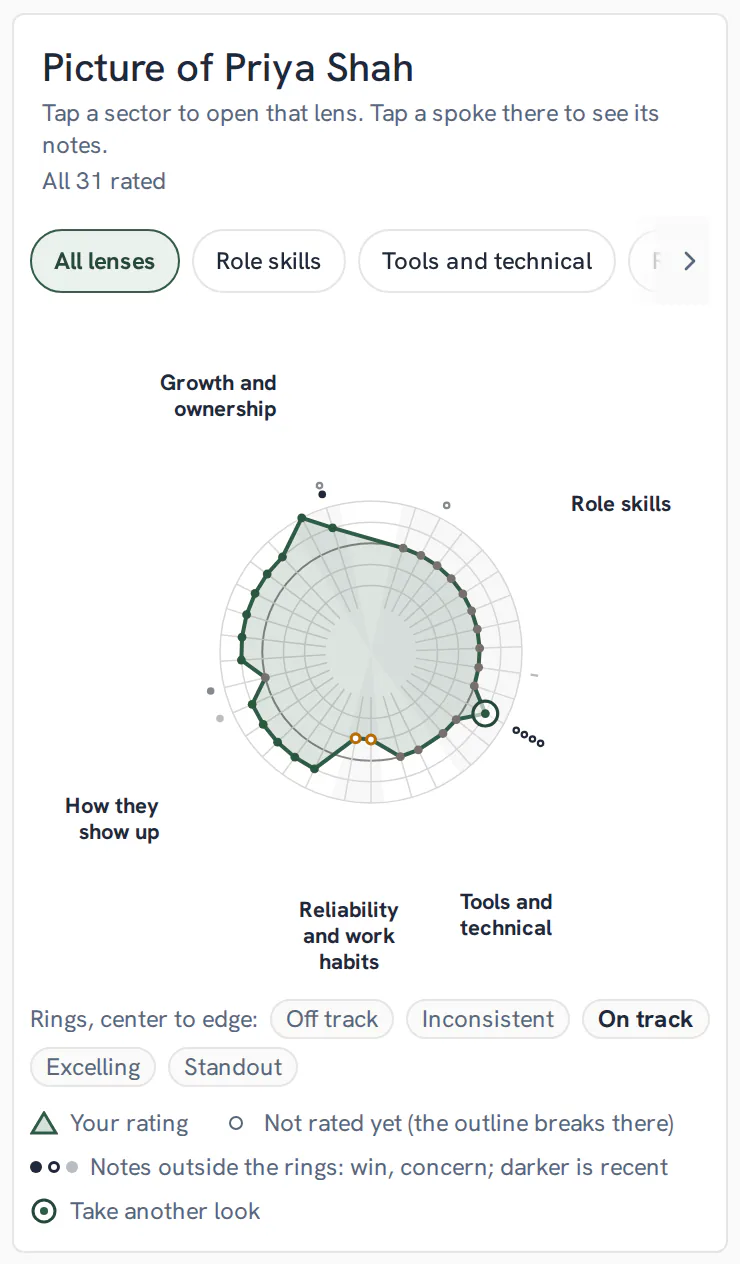
Each person has one picture: the skills you track, the level you set for each, and the notes behind it. When recent notes lean away from your rating, it asks you to take another look.
- Five described levels, Off track to Standout. On track is a good result.
- A skill you haven’t rated stays blank.
Privacy
Your notes are yours.
Your notes stay in your account.
Other accounts can't read them. We don't read them unless you ask us to for support or the law requires it.
Built to keep health details out.
If you mention a health detail, it’s removed before your note is saved, and you’re told. The checks are automated and can miss things.
Never used in anything AI writes for you.
Notes about someone’s personal life stay out of AI-written prep and coaching.
Export or delete everything.
Download everything any time from Settings, or delete your account and your notes leave the app right away. Daily backups expire after 7 days, so your notes are gone from them within about 8 days.
Who it’s for
Managers who want to coach well and be fair.
If you run 1:1s and want to remember what each person did, TheirCorner is built for you.
Built by a manager who was tired of rebuilding a year from memory at review time. Read why.
What it isn’t
- Not an HR system. TheirCorner does not connect to HR or company systems.
- Not surveillance. It holds only what you choose to dictate or type.
- Not a task manager. No boards, no tickets, no status columns.
Offices, stores, kitchens, hotels and shops: anywhere a manager works with people.


FAQ
Questions managers ask first
- Does AI rate my people?
- No. You set every rating.
- What about health details?
- TheirCorner is built to keep health details out. If you mention one, it’s removed before your note is saved, and you’re told. The checks are automated and can miss things.
- What does it cost?
- Free for 2 people on your team. Pro, for your whole team, is $15 a month.
- Can I take my notes with me?
- Yes. Download my data, in Settings, gives you one file with everything you saved.
On your phone
Your notebook in your pocket
An iPhone app is on the way. Today TheirCorner works in your phone’s browser, and you can add it to your home screen.
- Each person’s pictureMock-up
- Dictate after a meetingMock-up

Notice the work this week. Back your people at the next 1:1.
Free for 2 people on your team. Pro, for your whole team, is $15 a month.